Tailscale
If you're on a Tailnet, its daemon already runs SOCKS5 at 127.0.0.1:1055. Free.
Set up many proxies in one place, then pick which one each site goes through. Switch in one click from the toolbar. Works with SOCKS5, HTTP, SSH, Tailscale, Cloudflare WARP, and WireGuard.
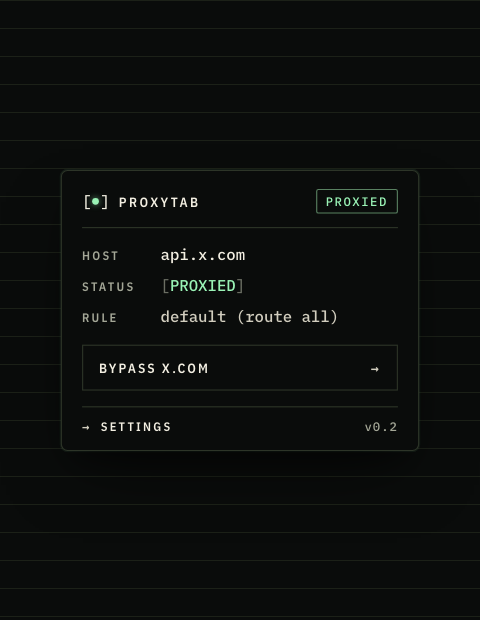
Send Netflix through a US proxy. Send your bank direct on your home connection. Send everything else through whichever proxy you set as default. Every site has its own rule.
Click the toolbar icon on any site, pick a different proxy from the dropdown, done. The rule saves automatically so the next visit keeps the same routing.
Add as many as you want. SOCKS5, HTTP, SSH dynamic forwards, Tailscale exit nodes, Cloudflare WARP, WireGuard via wireproxy. Set one as the default and override as needed.
Add ProxyTab to the Chrome profile you want to route. The extension is dormant until you add at least one proxy, so installing alone changes nothing.
The setup wizard lists seven options: SOCKS5, HTTP, SSH, Tailscale, WARP, WireGuard, and custom. Add as many as you want. Pick the one that should catch traffic by default.
For each site, pick its proxy from the toolbar dropdown, or bypass it entirely with one click. Rules save automatically and apply on the next visit.
Pick whichever one is easiest. They all reduce to "Chrome sends to a SOCKS5/HTTP endpoint on your machine."
If you're on a Tailnet, its daemon already runs SOCKS5 at 127.0.0.1:1055. Free.
Run WARP in proxy mode. Local SOCKS5 at :40000. Free.
Any host/port + optional auth. Works with commercial SOCKS5 providers.
Squid, corporate proxy, or commercial endpoint. Supports auth.
If you can ssh, you have SOCKS5. The wizard generates the ssh -D command.
Your own WG server, bridged by wireproxy. One-line installer for Mac/Linux.
Free-form scheme/host/port/auth. For anything we didn't list.
No analytics. No event pings. No usage stats sent to us, because there isn't an "us" the extension talks to.
There's no signup. ProxyTab doesn't run any backend. The "upstream" is whatever you point it at: your machine, your VPS, Tailscale, WARP, etc.
If your upstream requires auth, ProxyTab stores the credentials in chrome.storage.local, the same place every Chrome extension keeps its settings. They never leave your computer.
Install ProxyTab and don't pick an upstream? It does nothing. Chrome's proxy settings stay default. Uninstalling leaves no trace.
Nothing. ProxyTab does not collect, store, or transmit any user data to ReelMoney, the developer, or any third party. The extension has no backend.
The following data is stored only in chrome.storage.local on your computer, inside your Chrome profile, and never leaves it:
If you uninstall the extension, all of this data is deleted by Chrome along with it.
When configured, ProxyTab tells Chrome to route this profile's HTTP/HTTPS/WebSocket requests through the proxy you specified. ProxyTab itself does not see, log, modify, or intercept the content of any request. The destination server you connect to and the proxy server you chose are both able to see your traffic in the same way they would for any other client; ProxyTab does not change that.
ProxyTab contains no third party SDKs, no analytics, no ad networks, no crash reporting tools, and no tracking pixels. The extension makes no network requests to ReelMoney's servers or anyone else's. The only network traffic it generates is the connection probe ("Run probe") you trigger manually from the options page, which queries a public IP echo service (api.ipify.org with a fallback to icanhazip.com) through your configured proxy to display your exit IP back to you.
ProxyTab requests the minimum Chrome permissions required to function:
proxy: configures Chrome's proxy settings for the active profile.storage: saves your upstream config and bypass list locally.tabs: reads the active tab's URL so the popup and toolbar icon can show per site status. The URL is read in memory only and is never stored.webRequest and webRequestAuthProvider: supply your saved proxy credentials (if any) in response to proxy authentication challenges from your configured upstream, so Chrome doesn't prompt you on every page.ProxyTab is a general-purpose networking utility and is not directed at children under 13. We do not knowingly collect information from any user.
If we materially change this policy, we will update the "Last updated" date above and note the change in the extension's release notes. Continued use of ProxyTab after a change constitutes acceptance of the updated policy.
Questions about this policy? Email hello@reel.money.